Make the bill easy to follow.
Itemize the work, set the due date, and add your terms. Issue a numbered invoice and download a PDF with your business branding.
INVOICES & PAYMENT RECORDS
Create clear invoices and keep a record of the money received. From a deposit before the work starts to the final balance, see the figures together without rebuilding them from notes.
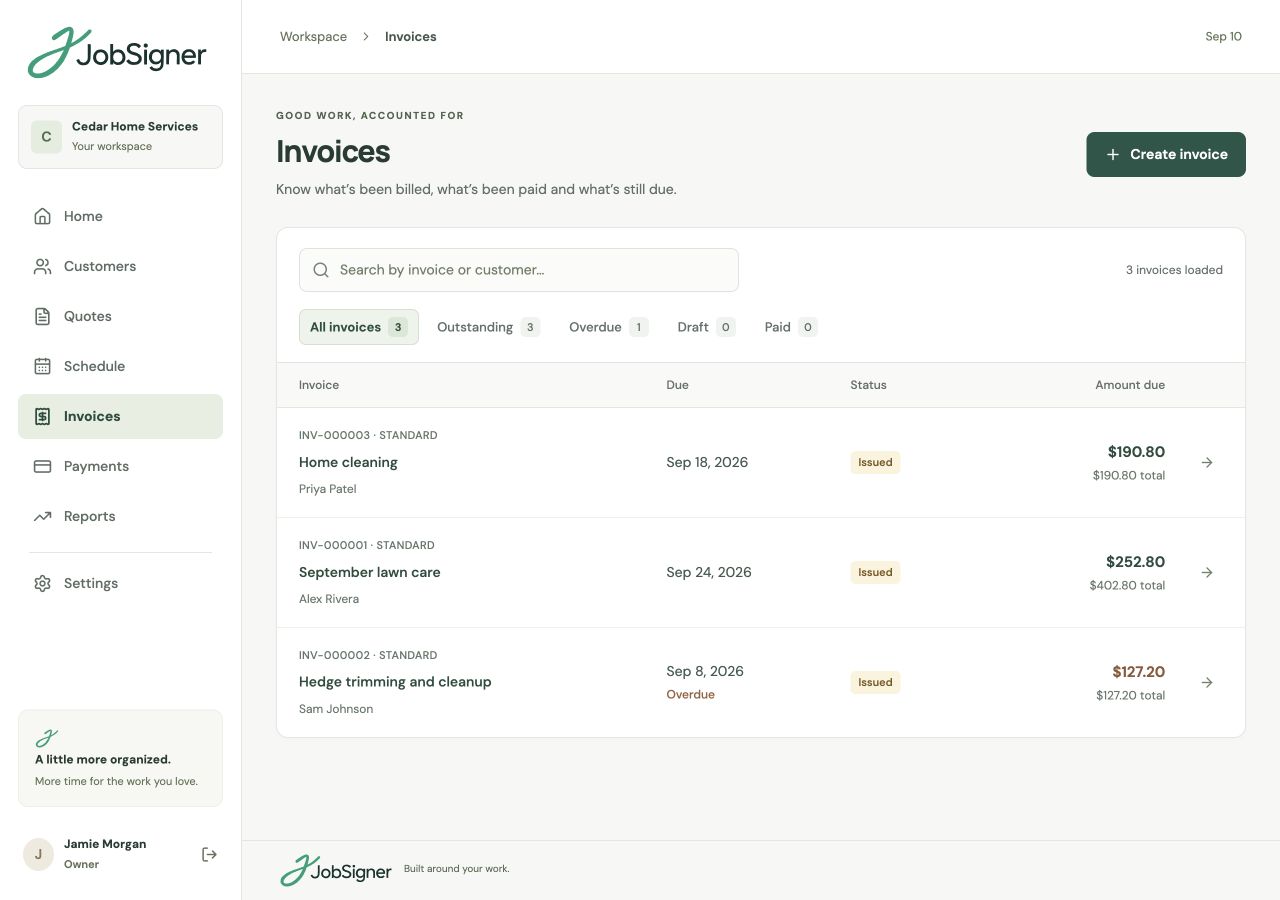
Itemize the work, set the due date, and add your terms. Issue a numbered invoice and download a PDF with your business branding.
Record payments against the invoice as they arrive. The paid amount and remaining balance help you see where each invoice stands.
Review unpaid, partly paid, and settled invoices, with due dates and overdue amounts available when you’re checking the books.
CLEAR PAPERWORK
Some jobs are billed when the work is finished. Others need a deposit or a bill at an agreed milestone. Create the right invoice for the stage of the job, link it to the customer and job where appropriate, and make the services, prices, and due date clear.
A RECORD YOU CAN REFER BACK TO
When a payment comes in, record the amount, method, date, and reference against the invoice. Keep the receipt for that payment and check the remaining balance. Apply a credit to reduce the outstanding balance while preserving the issued invoice.
FROM ONE STEP TO THE NEXT
Choose the customer, add the work and pricing, and set the due date. Review the draft, then issue the numbered invoice.
Add each payment with its amount, date, method, and reference. Save a receipt to keep a record of that payment.
Check outstanding and overdue balances before following up with customers. Partial payments and credits stay reflected in the amount owed.
GOOD TO KNOW
Yes. You can create a deposit invoice and record partial or full payments against issued invoices. JobSigner keeps the recorded paid amount and remaining balance together.
No. A recorded payment documents money you have received; it does not charge a card or move money. Add the payment method, date, and reference to keep a useful record alongside the invoice.
Draft invoices can be edited. Once an invoice is issued, its contents stay on record. You can apply a credit to reduce the outstanding balance while preserving the original invoice.
Yes. Download a branded PDF of an issued invoice and a receipt for a recorded payment. A receipt records that particular payment, including the balance at the time it was recorded.
YOUR NEXT CHAPTER STARTS HERE
One place for your customers, your crew, and the work ahead.