
Keep regular work on the calendar.
Arrange weekly or monthly visits alongside one-off bookings. Give the office one view of the appointments and the people assigned to them.
SOFTWARE FOR WINDOW CLEANING BUSINESSES
A regular storefront, a whole house, or an extra interior clean. Keep every customer’s scope, service address, and next visit organized from the first quote to the invoice.

Arrange weekly or monthly visits alongside one-off bookings. Give the office one view of the appointments and the people assigned to them.
Separate interior cleaning, exterior cleaning, and agreed extras in the quote. Help the customer see exactly what the price covers.
Save the service property under the customer and add access arrangements to the job instructions, ready for the crew carrying out the work.
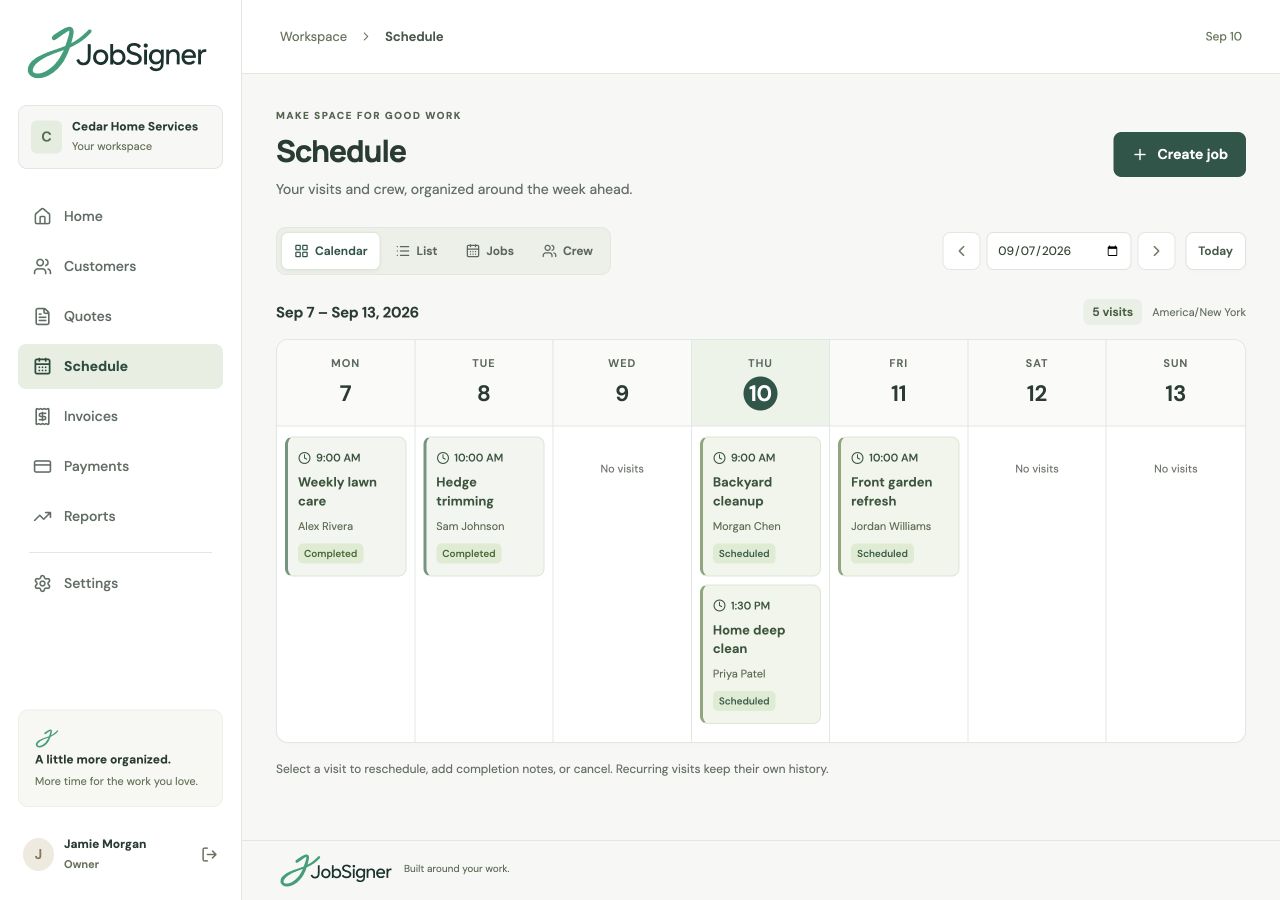
RECURRING VISITS & ONE-OFF WORK
Set up the repeat visits that give your week a routine, then add new homes or one-off bookings to the same calendar. Assign the people doing each visit and update appointments as plans change. The job instructions stay with the work, so the crew has the details for each stop.
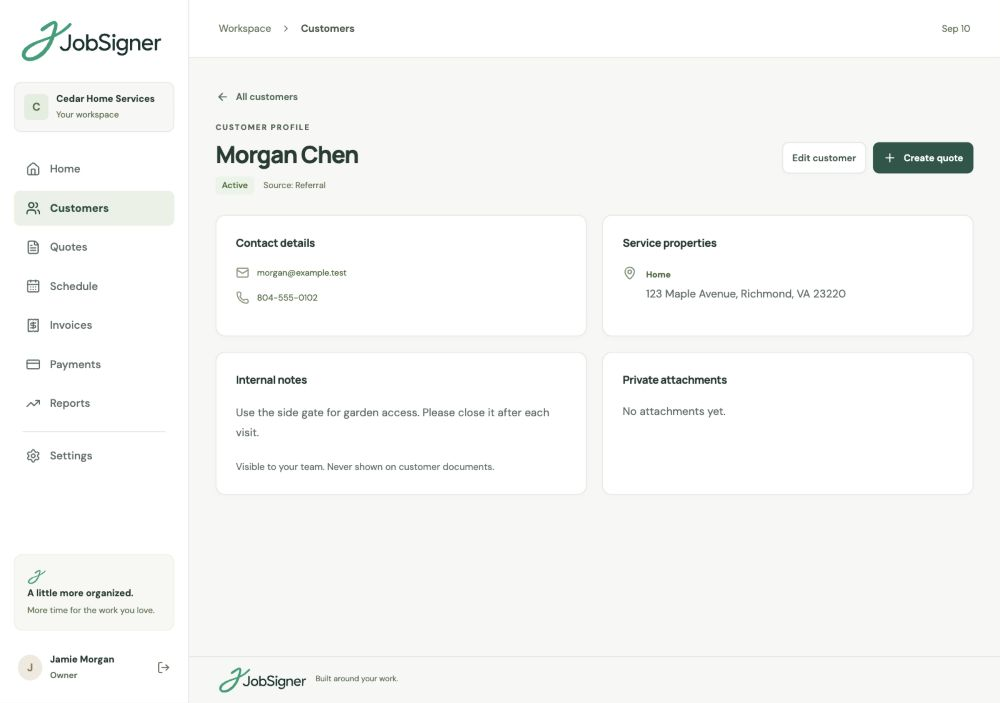
CUSTOMERS & SERVICE PROPERTIES
One contact may arrange window cleaning at a home and a business. Keep their service properties together, with office notes and attachments in the customer record. Put the agreed work and practical access details in the job instructions your field staff can see.
FROM ONE STEP TO THE NEXT
Add the customer and property, list the agreed cleaning services, and send the quote for approval.
Schedule the appointment, add a repeat pattern when needed, and give the assigned crew clear instructions.
Create the invoice and record the customer’s payments so you can see the balance before following up.
GOOD TO KNOW
Yes. One-off jobs and weekly or monthly recurring visits appear on the same schedule. Keep each customer’s service properties and the instructions for their work connected to the visit.
Yes. Add separate service items, quantities, and prices to a quote, with terms that explain the scope. Customers can review and approve the issued quote through a private link.
Yes. Store multiple service properties under one customer. This keeps the contact details together while giving each job the appropriate service address and instructions.
The invoice workspace shows outstanding balances and overdue amounts. Record payments against each invoice, including partial payments, to keep the remaining balance current.
YOUR NEXT CHAPTER STARTS HERE
One place for your customers, your crew, and the work ahead.