
Keep the customer and address connected.
Store several service properties under the same customer, so the office can find the right location without creating a new contact for every job.
SOFTWARE FOR PROPERTY SERVICE BUSINESSES
When one customer has work at several addresses, organization matters. Keep their service properties, quotes, scheduled visits, and invoices connected in JobSigner.

Store several service properties under the same customer, so the office can find the right location without creating a new contact for every job.
Assign the people doing the work and add job instructions for the property. Keep scheduled visits visible in one shared business workspace.
Review quote status and invoice balances, then use the customer record to pick up the next conversation with the context close at hand.
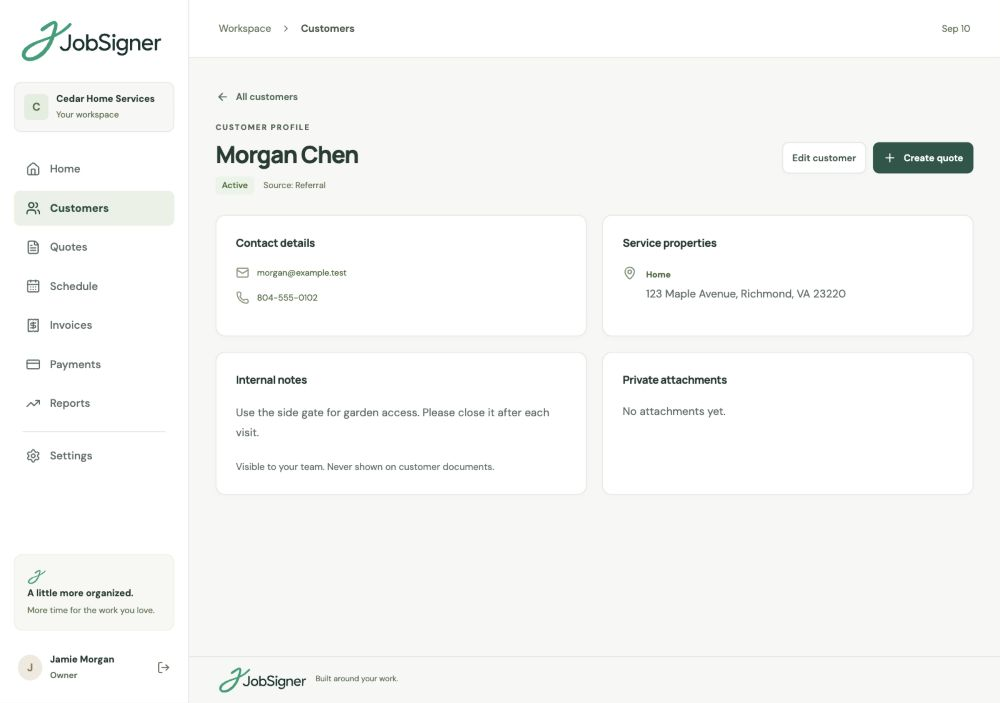
CUSTOMERS & MULTIPLE PROPERTIES
A landlord or property manager may arrange cleaning at one address and a repair at another. Keep both properties under the customer’s record, with contact information, internal notes, and private attachments available to your office. Prepare each job with the specific address and instructions the crew needs.
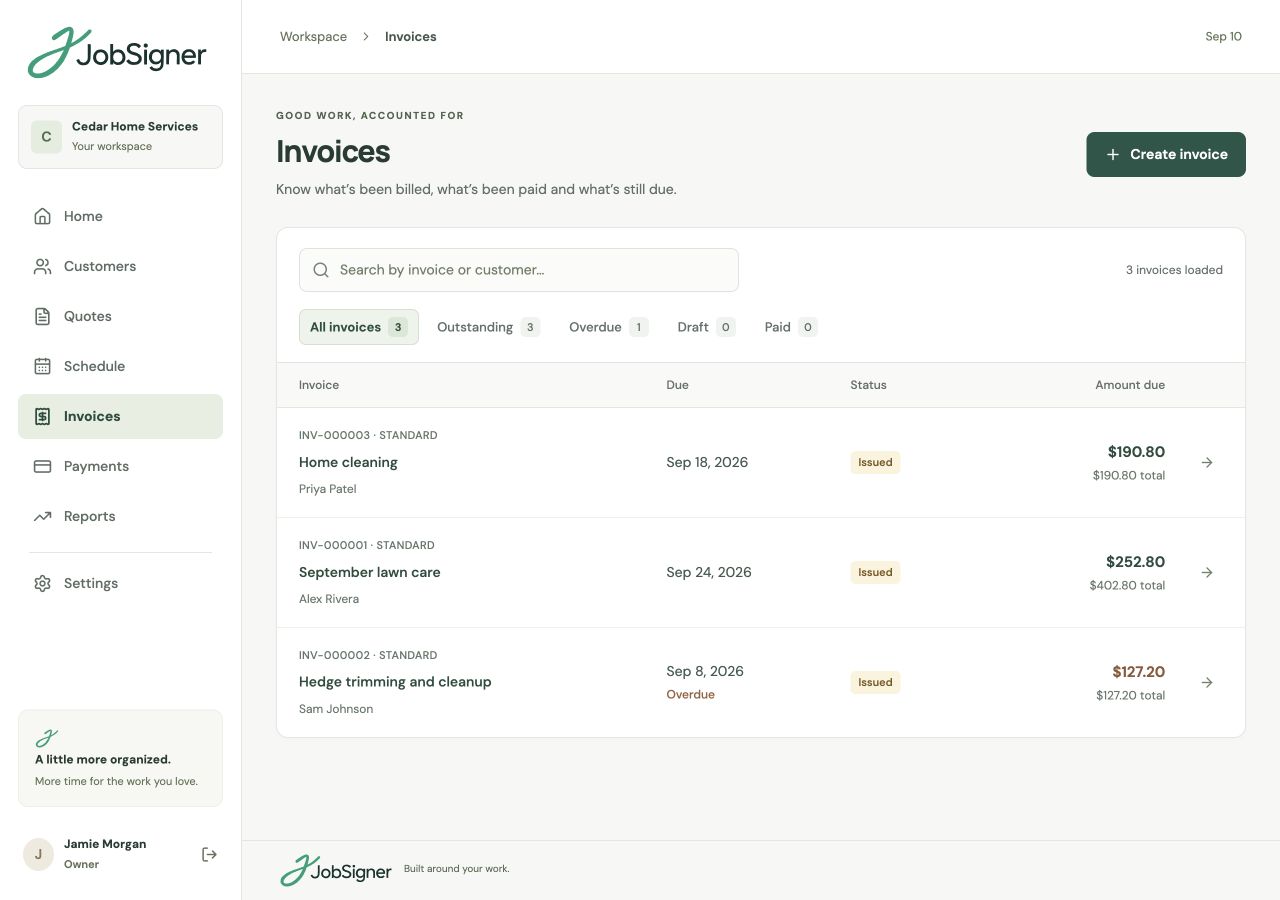
INVOICES & OUTSTANDING BALANCES
Busy weeks can leave a mixture of completed visits, open invoices, and partial payments. Create invoices for the work and record payments as they arrive. Review outstanding and overdue amounts, with the customer and invoice details there when you need to follow up.
FROM ONE STEP TO THE NEXT
Add the main contact and service properties, then keep the office’s notes and supporting attachments together.
Agree the scope, schedule the visit, and give the assigned crew instructions for the address they are attending.
Add completion notes, create the invoice, and record payments so the next follow-up starts with the details in place.
GOOD TO KNOW
Yes. Keep multiple service properties under one customer record. This is useful when a landlord, property manager, or business contact arranges work at more than one location.
Yes. You can create quotes with the services needed for each job and manage one-off, weekly, and monthly visits on the same schedule. Assign staff and add instructions for the particular work.
Yes. JobSigner provides different team roles. Office staff can manage customer records and schedules, while field staff work from their assigned visits, job instructions, and customer details. Internal customer notes are not shown in the field view.
The invoice workspace shows outstanding balances and overdue amounts. Record payments against each invoice as they arrive to keep the remaining balance current, including when a customer pays in parts.
YOUR NEXT CHAPTER STARTS HERE
One place for your customers, your crew, and the work ahead.